The problem
When I started at West Muskingum Local Schools in January 2026, the tech department was two people: my boss and I. Our daily work was spread across a dozen systems:
- Google Admin for accounts and Chromebooks
- the regional student information system (SIS)
- PaperCut for print quotas
- IT Glue for documentation
- Action1 for patching
- OpenSign for policy signatures
- a pile of spreadsheets for the Chromebook lending program
Simple questions took several tabs to answer. Which student had this Chromebook last week? Which cart is it in? Has this teacher signed the technology policy? Anyone outside our tech team who needed an answer had to ask us.
I wanted one site that pulled those systems together. It also had to respect who should see what, so a teacher could look up their own students' passwords without being able to see anyone else's.
The first commit was on January 13, 2026. By October the portal had 21 tools and 5 admin pages built on 71 migrations, and it runs on a small platform I built and operate alongside it.
Architecture
The core idea is a split in responsibilities:
- Laravel is the UI and API layer.
- n8n is the ETL and sync engine.
They share one MariaDB. n8n pulls in the SIS exports and the Google directory, and the portal reads that data back out with permissions applied.
A few structural choices shaped everything else:
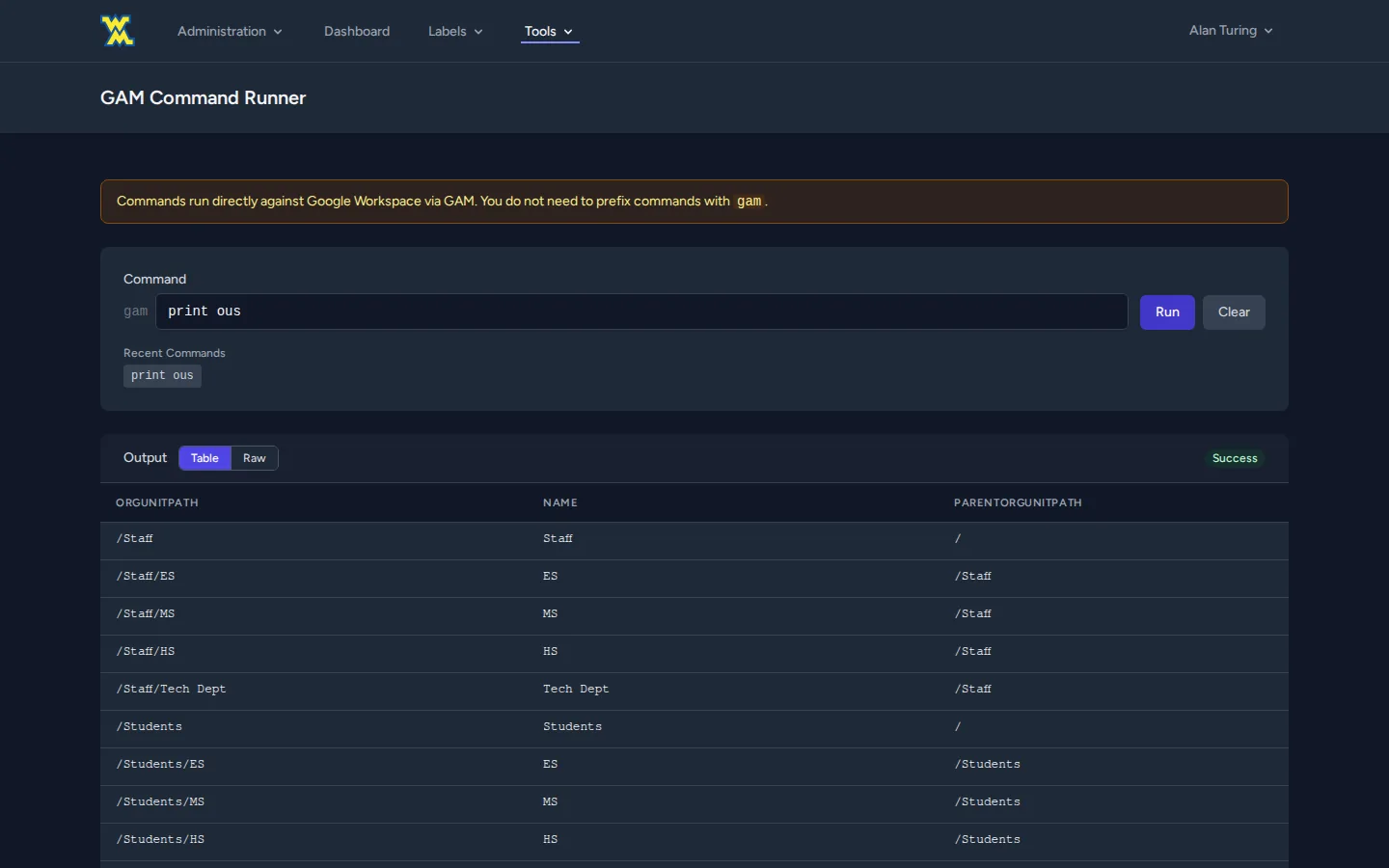
- GAM runs in its own container. PHP never holds Google credentials. It runs the GAM binary in a sibling container through
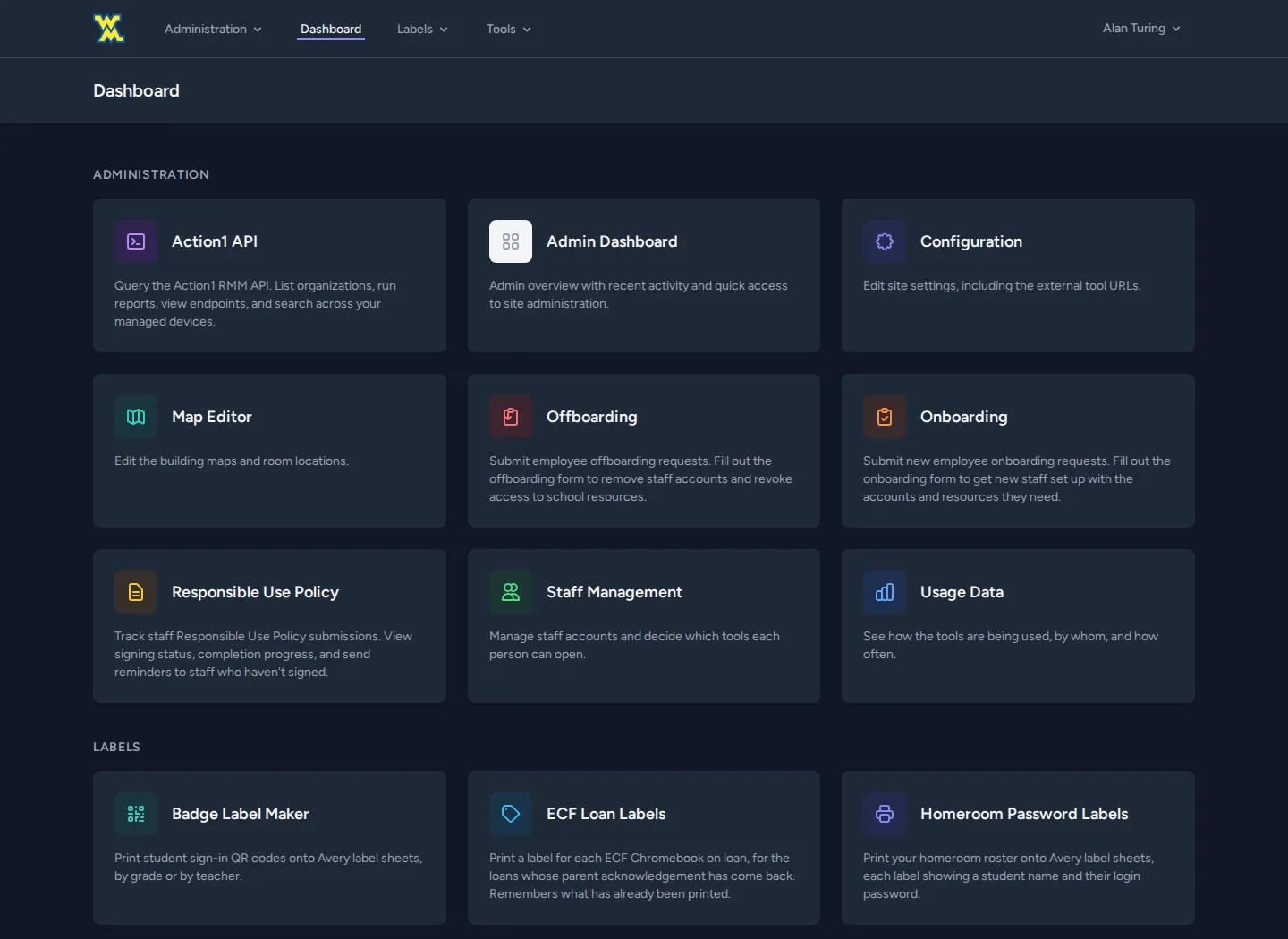
docker execwith an argument array, so nothing ever goes through a shell. A;or$( )typed into the web console reaches GAM as literal text, which rules out shell injection. - A registry drives the UI. One config file defines every tool: label, route, permission key, icon and navbar section. The navbar, mobile nav, dashboard and admin permission matrix are all generated from it. Adding a tool means one registry entry and one migration.
- Drop-in modules. A style guide in the repo requires each tool to be self-contained (its own routes file, views folder and Vite entry), so a tool can be lifted into another Laravel project.
- n8n gets GAM without the keys. n8n reaches Google Workspace through a bearer-token API on the portal, so the automation platform never holds super-admin credentials itself.
Key decisions
Permissions inherited from Google, not maintained by hand
Every tool route checks one permission, which is the logical OR of four sources:
- an admin flag
- a direct grant on the user
- a grant on any Google Group the user belongs to
- a grant on their Google organizational unit (OU)
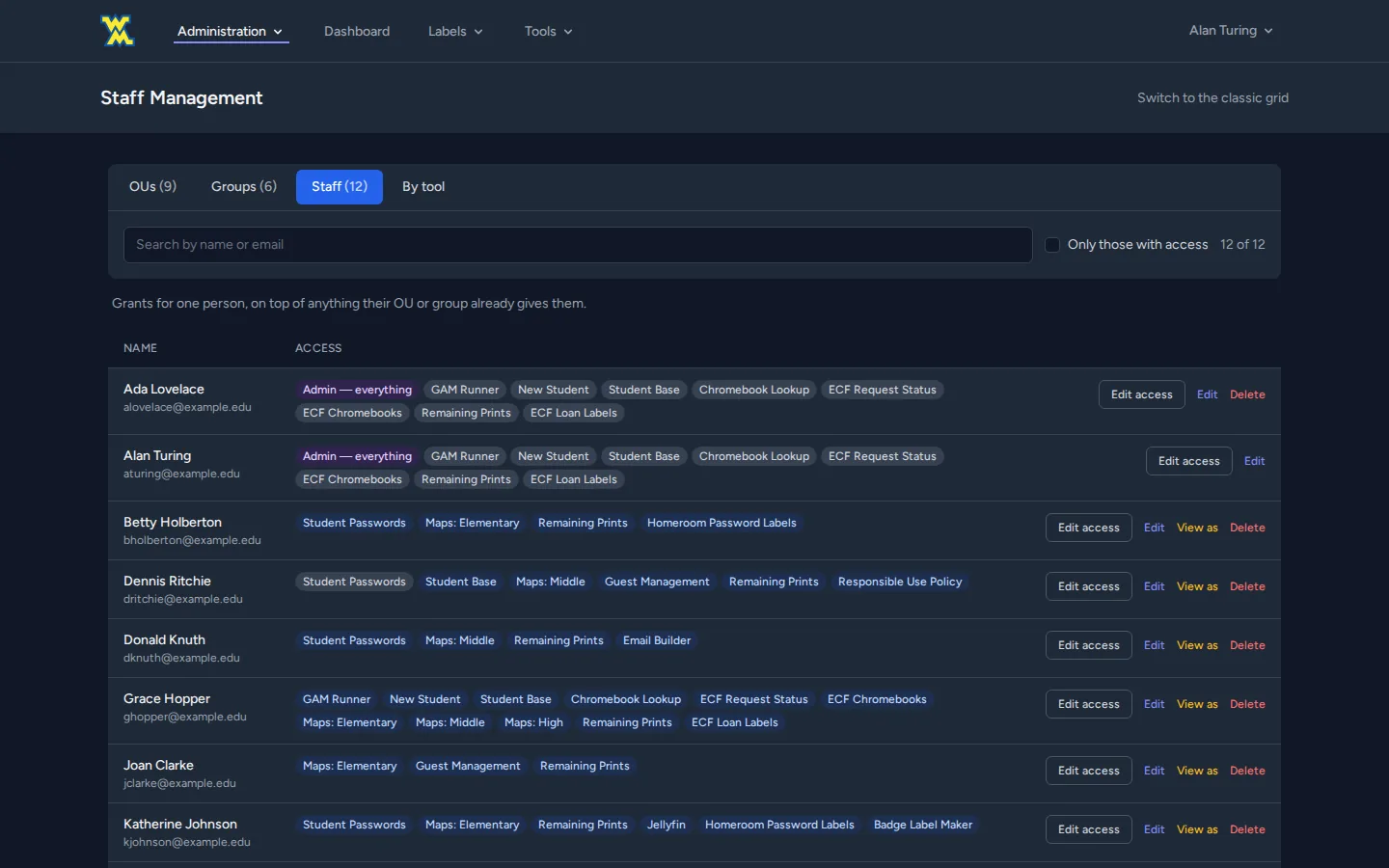
Group and OU membership come from n8n's directory sync. Granting "all elementary teachers" access to the elementary floor map is one checkbox on an OU, not 40 checkboxes on users.
The staff management page shows why someone has a permission ("via group X") and disables those checkboxes, so nobody ends up fighting an inherited grant.
New accounts start with every permission off. Login is Google SSO restricted to our district's domain. The domain hint Google offers can be bypassed, so the server checks the email suffix itself.
Read-only impersonation
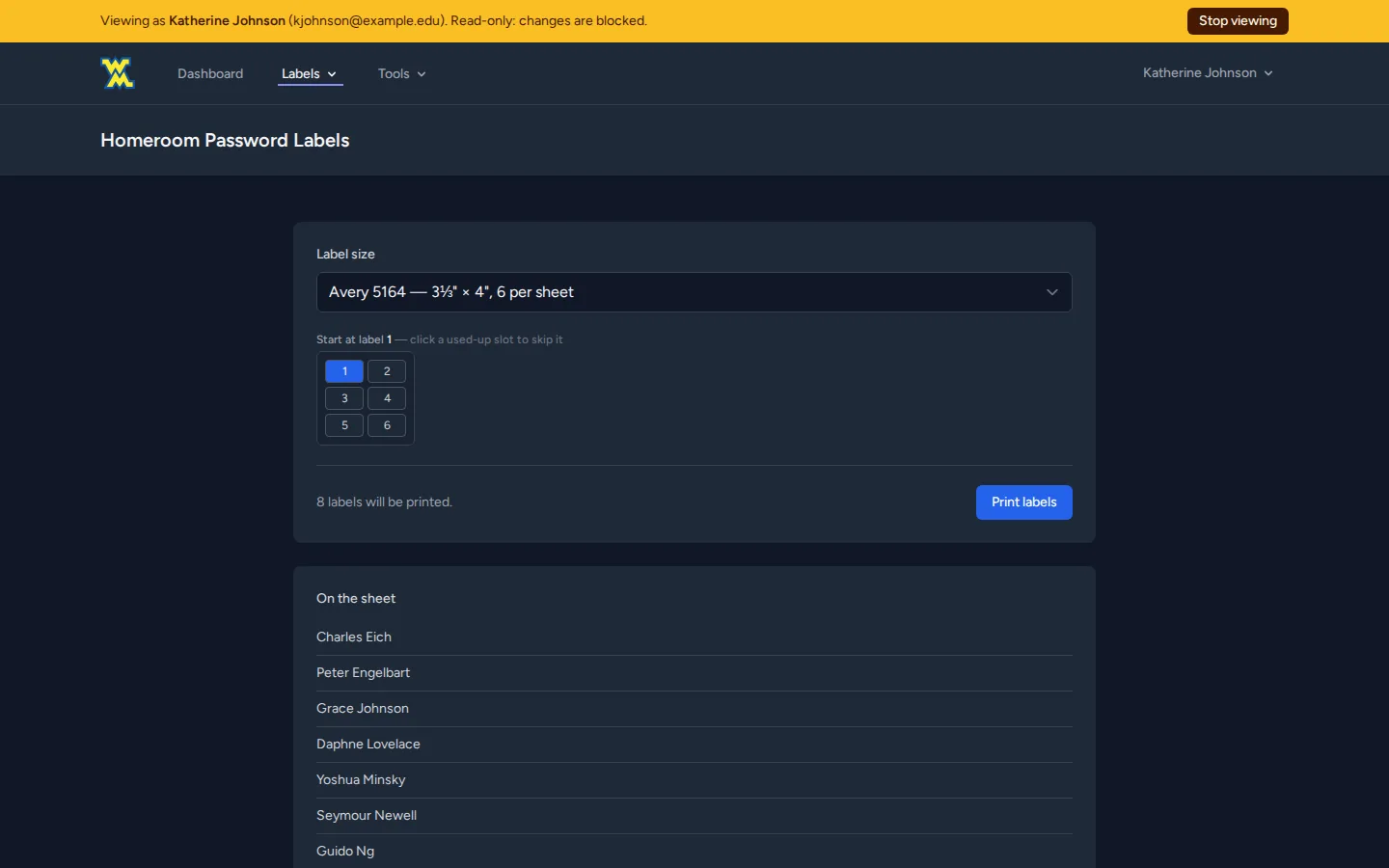
Admins can view the site as another staff member to troubleshoot what that person sees. It is read-only by design:
- every non-GET request is refused unless it's on a short allowlist of lookups and print previews
- running GAM commands, revealing passwords and sending mail are excluded outright
- admins can't impersonate other admins
- every start and stop is logged
It's a support tool that can't be turned into a way to act as someone else.
Sensitive data handled in layers
The student password tool is built for the "my student forgot their password" moment. It is the most sensitive thing in the portal, so it has the most layers:
- The permission is checked by middleware, then checked again inside the action.
- A per-user query limits visibility to a teacher's own current sections, plus explicit grants that can expire.
- Credentials live in their own table, so they can never ride along with a normal student record.
- "Not allowed" and "nothing on file" return the same response, so the endpoint can't be used to find out who exists.
- Every reveal is audited, including reveals by admins.
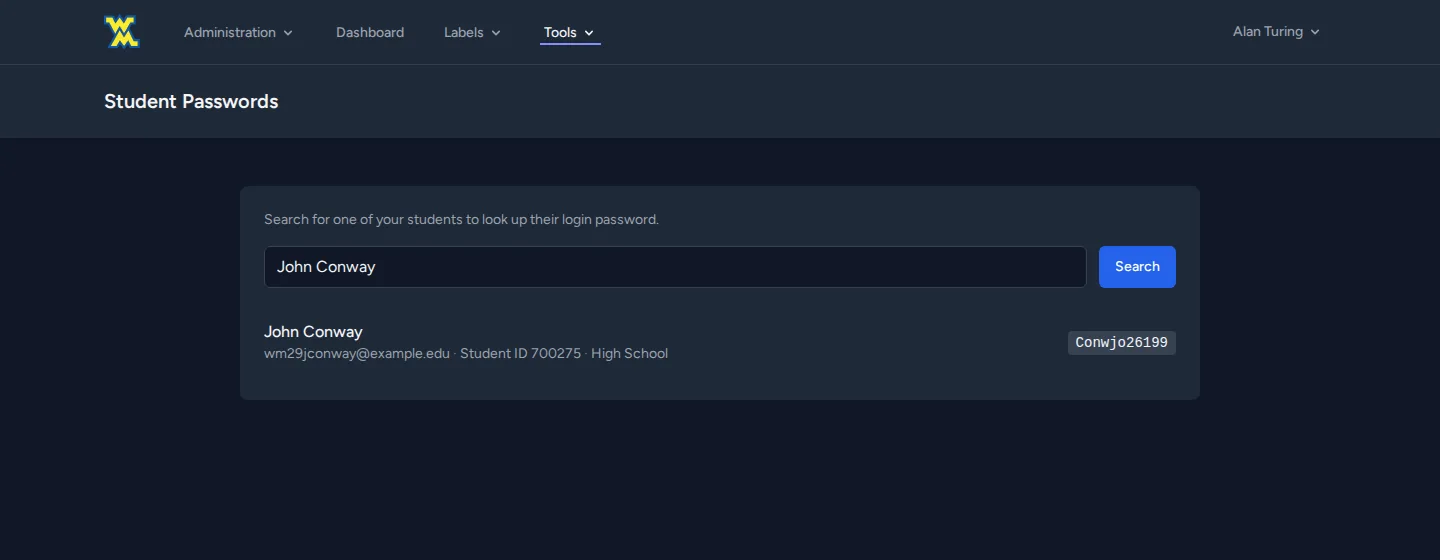
Our district requires recoverable passwords for young students, so I built the controls around that requirement.
Cache the slow system of record
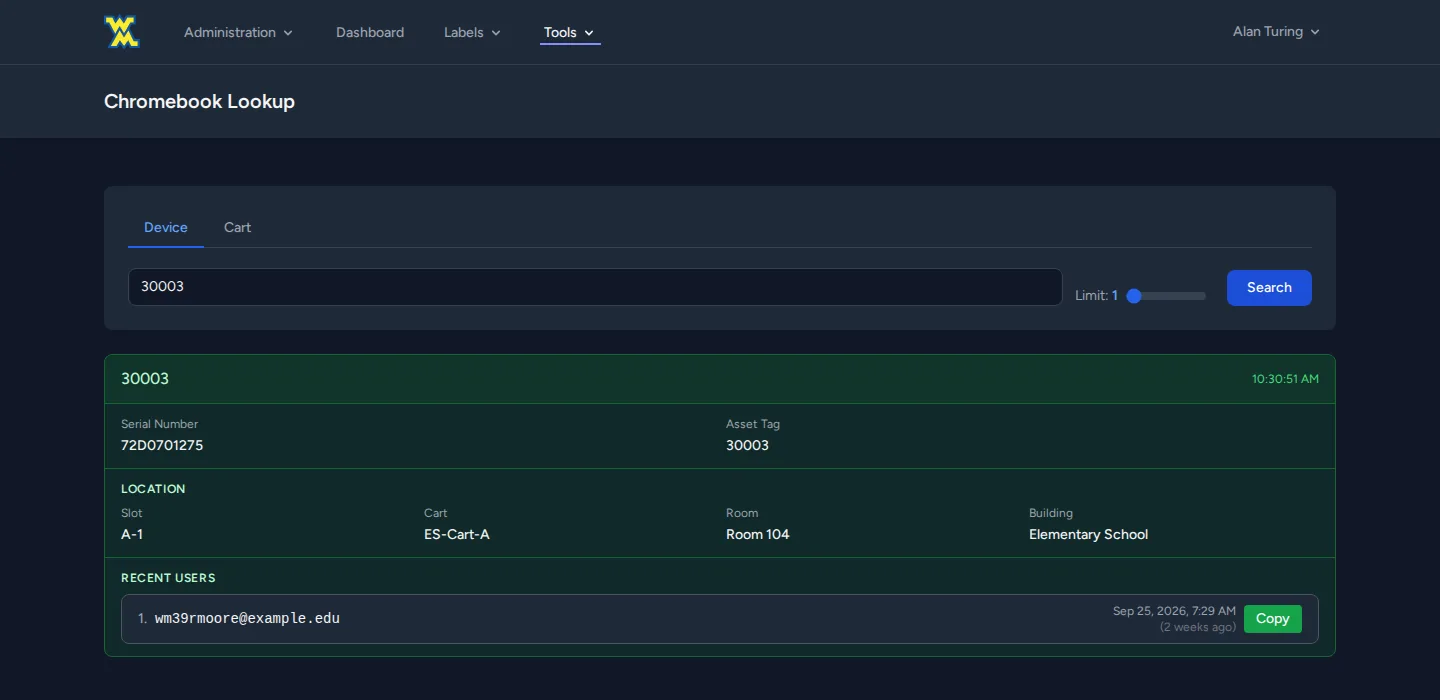
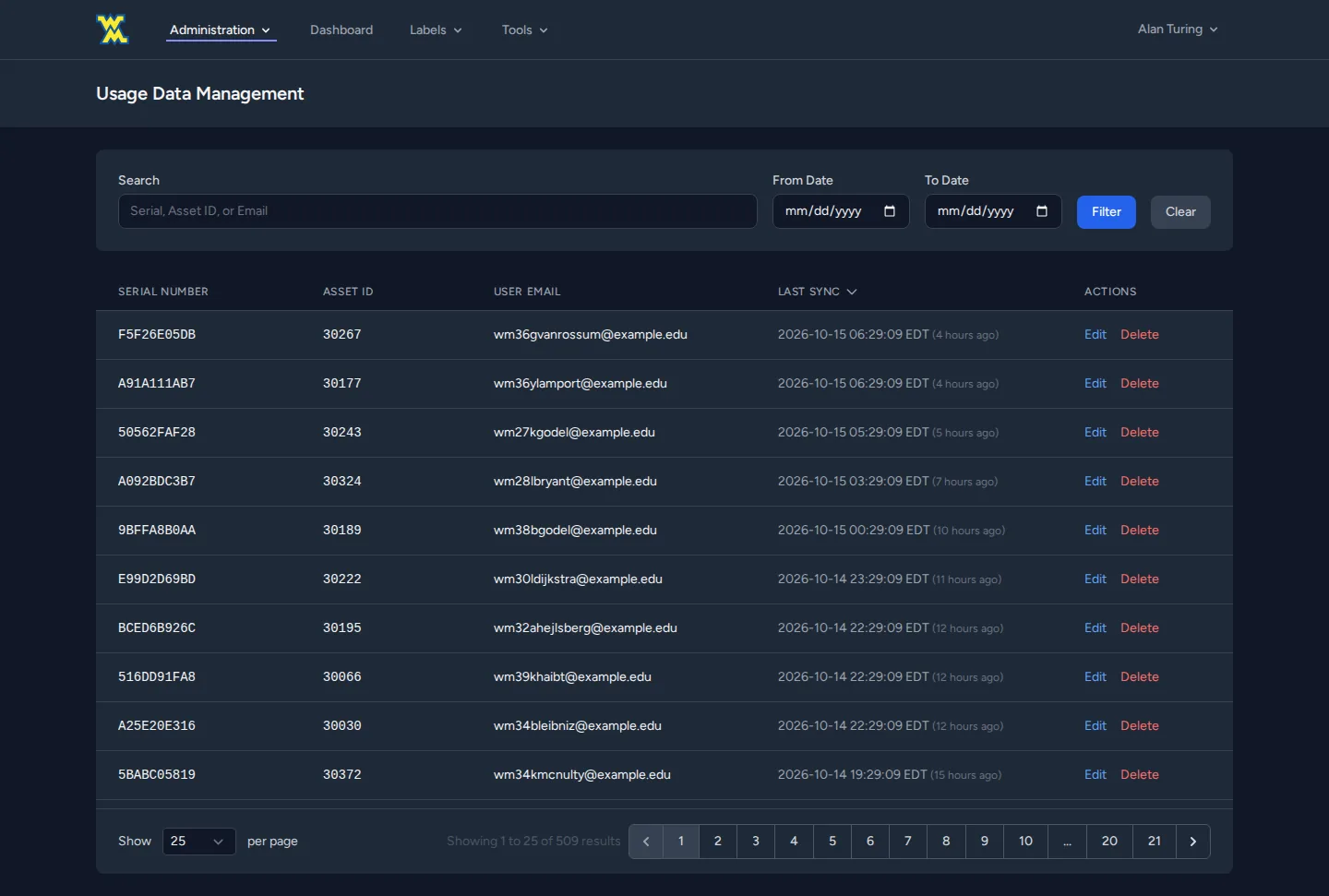
The first Chromebook lookup queried Google live. It was slow and expensive across a fleet of thousands. Three days later I rebuilt it as nightly, staggered sync jobs (elementary at midnight, middle school at 1:00, high school at 2:00, inventory at 3:00) that write to the database. Lookups became instant.
The usage table stores one row per change of user, not one per poll. The table stays small, and it still records who had a device and when.
What broke and how I fixed it
53,000 calls in an hour
In August an n8n workflow got stuck and started hammering the portal's GAM API: about 53,000 calls in one hour. 1,360 of them hit what was then a 60-second timeout. Each of those held a PHP-FPM worker while it waited, and all 50 workers filled up. The whole portal went down, while the CPU sat under 1%. Nothing was working hard. Everything was waiting.
I added a site-wide concurrency cap built from cache locks:
- Five slots, each a cache lock whose TTL is the timeout plus 30 seconds. A crashed worker can't hold a slot forever.
- Jittered retries for up to 10 seconds, then reject. Callers don't line up waiting, because waiting is exactly what exhausted the pool.
- Shorter default timeouts: 25 seconds for interactive lookups, longer only where the job needs it.
- The locks live in a cache shared by the web and scheduler containers, so the cap applies to the whole site, not per process.
Messy upstream data
The regional SIS reuses section IDs across school years. Our upsert quietly relabeled last year's sections as this year's, which produced about 5,000 stale teacher–student pairs.
The fix is a sync watermark: only enrollments stamped by the latest import count. The watermark is measured from the newest import, not from today's date, because n8n skips the import on days the file hasn't changed. Two more safeguards back it up:
- Between July 1 and the arrival of the new year's data, the tool shows nobody rather than falling back to last year's rosters.
- A denylist filters out placeholder "teacher" IDs that the SIS uses for catch-all sections.
Smaller ones that taught me something
- Root-owned cache files. Running
php artisanas root inside the container left root-owned cache files behind. Laravel spreads its file cache across many subdirectories, so only some pages broke with "Permission denied", and it looked like an application bug. I wrote awm-artisanwrapper that always runs aswww-dataand warns if anything is left that it doesn't own. - A Chromebook that silently vanished. A note typed into Google Admin was longer than the column, so the device dropped out of inventory without an error. Free-text fields are now clipped. Serial numbers deliberately aren't, so a bad serial fails loudly.
- A dangerous empty list. The nightly staff sync removes accounts for departed staff. It refuses to remove anyone if the source list comes back empty, so a database outage can't wipe every user.
The platform around it
n8n: automation as code
n8n runs in queue mode:
- a main instance and three workers
- PostgreSQL and Redis
- a custom image with the Bitwarden CLI built in
It handles:
- the nightly SIS pull over SFTP, which skips unchanged files by comparing their hashes
- the Google directory sync that drives portal permissions
- two-way credential sync between Vaultwarden and IT Glue
- Wazuh agent upgrades whenever an agent comes online
- nightly apt patching over SSH
- a shared error handler that emails us when any production workflow fails
The biggest workflow runs the Chromebook lending program for families:
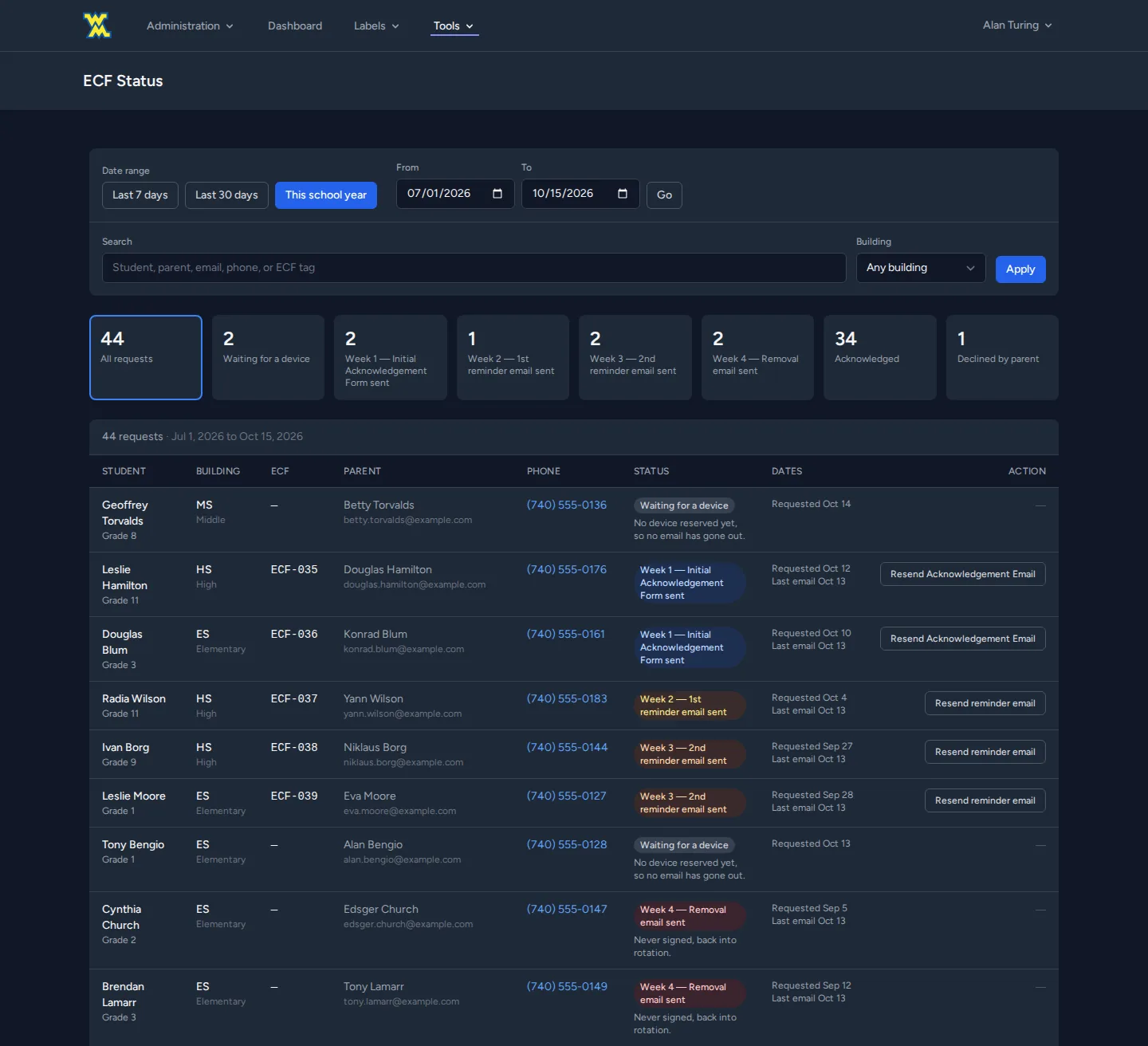
It's 54 nodes, and I don't edit it by hand:
- A Python script generates it with house conventions: pinned node versions, named credentials, one-line SQL.
- A linter checks every SQL node's placeholder count against its parameters.
- An offline Node.js harness runs each code node with mocked inputs and no real email.
The rollout used a switch that redirected all parent mail to a test inbox, plus a database snapshot before each go-live step.
Print server: CUPS built from source
Managed Chromebooks needed to print securely, with every page still charged against the user's PaperCut quota. I built a CUPS server from the official OpenPrinting source in a multi-stage Docker build. Building from source let us carry a local patch, for a finishing bug where stapled multi-copy jobs came out as one bound set.
The container entrypoint supervises several daemons and repairs its own state on every boot. A private certificate authority issues the server's TLS certificate, and the CA certificate is pushed to every managed Chromebook through Google Admin.
Every workaround in the Dockerfile has a comment giving the symptom and its cause. Each of those was a few hours of debugging I don't want to repeat.
Vaultwarden: backups that have been restored
Our team's password vault has two independent safety nets:
- A weekly updater with automatic rollback. It pulls the new image and stops the container so SQLite can checkpoint its write-ahead log cleanly. It backs up the data, starts the new version and health-checks it for up to three minutes. If the check fails, it re-tags the previous image and brings that back.
- Nightly backups through n8n, with a monthly long-term copy and a self-service restore form that swaps a chosen backup in as the live data.
This isn't theoretical. After a power outage corrupted the vault's database, we restored it from the previous day's backup.
Results
- Our tech team runs its daily work through one site: account creation, device lookup, lending, label printing, print quotas and policy tracking.
- Staff outside our tech team can answer their own questions (their students' passwords, their remaining prints, a building map) without filing a ticket.
- A whole program, Chromebook lending for families, moved from spreadsheets to an automated pipeline with an audit trail behind every loan.
- The outage pattern that took the site down can't happen again the same way. A flood now gets a fast "busy" instead of taking down the site.
How it was built
I built this with AI coding assistants working under written conventions: a style guide and an agent instruction file in the repo cover the module layout, the asset pipeline, and the rule that artisan, composer and npm run inside the container. The decisions, the debugging and the production operations are mine. So are the outages.